Over 1,000 focused, highly actionable snippets from over 300 Office Hour sessions, your question has probably already been answered
The following are real videos pulled from our archive.
(Bonus - state change members can click through the title to watch it right now!)

In this meeting, the team discusses an issue with the progress bar and reward trackers in a software application. They are trying to determine why the progress bar is not working correctly and causing errors. They examine the code and make some changes, testing different scenarios and hardcoding values. They identify that the problem lies with a missing document in the application, causing a null pointer exception. They discuss implementing a conditional visibility feature to handle this situation and create an empty state for the progress bar when the document is missing. The team plans to test this solution further and involve another team member, David, in the next steps.
(Source: Office Hours 3/17 )
In this meeting, the main topic discussed is how to handle changes in product lines and communicate them to customers. The speaker mentions the idea of testing out the "happy path" and observing how competitors handle similar situations. They discuss whether it's better to communicate changes in product lines and keep the customer's original selection with the adjusted line or remove the changed line altogether.
They also mention the importance of preventing customers from accidentally making wrong decisions and the need for validation and warning systems. The speaker suggests having a separate endpoint for validation that can run more frequently and provide warnings in addition to errors. The topic of promotional pending lines is brought up, and the speaker wonders how to inform the front end (Flutterflow) that certain lines are promotional. They discuss using custom Dart code on the front end and implementing critical business logic on the back end for better control and protection against bad inputs. It is mentioned that the front end should handle the most common UX issues, while the back end should handle edge cases. This allows the front end to be simpler and focus on user experience. The meeting ends with the speaker expressing gratitude for the discussion and receiving guidance on how to proceed.
(Source: Office Hours 5/17 PM )
In this meeting, the main issue discussed was finding a solution for filtering search results based on location radius. The person explained that they were having trouble with their external API and wanted to explore alternative solutions. They discussed the possibility of using pagination and making multiple requests with different radius values. They also considered starting with a baseline radius and adjusting it based on previous user requests. The meeting participants also discussed options for improving performance and optimizing subsequent requests. They mentioned the idea of using a slider scale or using ZIP codes to determine the density of an area. They agreed to start with a radius of three miles and adjust as needed. The meeting concluded with the understanding that geographic searching can be challenging but worth the effort to serve customers better.
(Source: Office Hours 5/4 )
The State Changers discussed how to sort a result that contains nested objects. They suggested creating a variable for the result and then updating it with the desired sort using the path to the weighted value. They mentioned that separating the steps can make it easier to debug. The topic of handling false results with a 200 status code from vendors was also addressed. They mentioned that usually a false result with a 200 status indicates a catastrophic issue on the vendor's side. They advised checking for additional error messages in such cases. The State Changers also talked about performance issues in an app built on Weweb web and Xano. They mentioned that the app takes a long time to load and requested guidance on improving performance.
(Source: Office Hours 6/29 )
In this meeting, the State Changers discussed the progress they have made on their project. They reviewed the code and made some changes to improve functionality. They focused on the show map and show seats functions, parameterizing them to make them more dynamic. They also discussed getting data from Xano and incorporating it into the code. They identified the need for a venue ID and map ID, and discussed how to pass this data into their functions. They also mentioned the possibility of adding a map field to the venue table in order to store the map data for each venue. They considered how to get the event data from Xano and discussed using JavaScript actions in Bubble to accomplish this. They noted the need for further adjustments to the data, particularly with regards to the section and seat IDs. Overall, they made progress in their project and have a clear plan for moving forward.
(Source: Office Hours 6/27 - Setting up event links between bubble and a third party display API )
The meeting participants, referred to as State Changers, discussed an issue related to getting the exported code from Flutterflow to work with data development. They mentioned some errors and warnings they encountered when trying to run the code. One participant suggested checking the path and using a specific terminal command to find the correct path. They also mentioned that changing the ZSRH file only takes effect when starting a new terminal. The participants discussed the possibility of running into dependency issues when exporting from Flutterflow. One participant recommended searching the Flutterflow community and creating a forum post to seek help from others. They planned to discuss the issue further in office hours.
(Source: Office Hours 3/6 )
In this meeting, the participants discuss sending personalized emails to users based on their time zone. They discuss the logic behind the code and suggest improvements to make it more efficient. They also discuss using different syntax for parameterizing text in the email body and demonstrate how to apply filters to achieve desired results. Finally, they test the code and verify that the emails are being sent correctly. Overall, the meeting provides useful insights and troubleshooting tips for sending personalized emails in a time-sensitive manner.
(Source: Office Hours 4/6 )
In this meeting, the participants discuss the need to implement a session expiration feature in their app to enhance security. They decide to set a time limit for the tokens that are generated during the login process. They suggest using seconds to measure the length of the token's expiration time. They also discuss the possibility of including the expiration time as a response variable and recommend adding it to the front end. They mention the option of creating an additional endpoint called "auth renew" to refresh the token and suggest triggering it regularly to maintain a valid session. They compare this process to the body's natural rhythms and suggest associating it with user activities on the front end. The meeting highlights the importance of finding the right balance between refreshing the token frequently enough without compromising security by having too many tokens in circulation. Overall, the participants feel that implementing this session expiration feature will greatly enhance the app's security and user experience.
(Source: Office Hours 3/7 )
In this meeting, State Changers (participants) discussed working on the Webflow project. They mentioned making changes to the API key and collection ID. They discussed using functions instead of API endpoints for simplicity. They tested a function called "test_Webflow_CMS" and examined the data it returned. They compared the data structure between Webflow and Xano, noting differences in field names and underscores. They highlighted the importance of understanding the exact shape of the expected data for effective transformations. One participant expressed gratitude for a previous task completed with Flavio, which involved automating a process. They discussed the satisfaction of creating automated solutions. The meeting ended on a positive note with plans to continue working on the project.
(Source: Office Hours 8/15 )
In this meeting, the State Changer discusses the process of adding and subtracting integers from an array in Bubble. They discuss the issue of removing someone as an admin from a company and how to update the list of admins in the Xano database. The question arises whether to treat the user IDs as text or numbers, and it is suggested to cast them as numbers in Xano but use them as text in Bubble. The State Changer notes that Bubble is easy to use for certain tasks but can be challenging for others, while Xano offers more flexibility but requires more thought. It is suggested to utilize Xano for tasks that are difficult to accomplish in Bubble. The State Changer also considers creating separate endpoints for searching users based on integers or text in order to avoid changing the entire user list search process. The importance of performance optimization is emphasized, with the recommendation to release the software to customers sooner to identify and address potential performance issues. The meeting concludes with a discussion about permission settings and any additional help needed.
(Source: Office Hours 10/6 Late )
In this meeting, the State Changers discuss a logging issue they encountered with a custom file management solution built in Xano. They explain that the foreign key relationships were causing the database to crash, but the issue has since been resolved by increasing memory. However, during the error, requests to add rows to tables may have failed, which is problematic for their auditing system. They discuss the need for a quick logging solution and consider using the Nextiva API or building a logger to retrieve request history. They also discuss the option of integrating with DataDog or another similar service. They agree to start with a simple approach of saving JSON locally and then explore better options such as storing in a SQL database or a file append service. They note that third-party logging services like DataDog prioritize speed over completeness. The State Changers agree that building the logging solution themselves is the best approach initially, as it will help them understand their needs better and become better customers to potential service providers in the future. They acknowledge that the complexity of the task may evolve over time and their requirements may change. The meeting concludes with a mention of a separate issue related to Weweb's ability to clear form inputs.
(Source: Office Hours 6/21 )
During the meeting, the main topic of discussion was how to pass data from a multistep form to Zano in order to create a class. The team identified that the radio buttons in the form were not functioning correctly and needed to be grouped together. They made changes to the code in Webflow to ensure that all the radio buttons had the same group name and value. This allowed the radio buttons to act as a set, where clicking one would unclick the others. They also updated the Wized attribute to map the selected value to the subject ID variable. After making these changes, the team confirmed that the radio buttons were now passing the correct data to Zano. Overall, the meeting resolved the issue with the radio buttons and provided a solution for passing data from the form to Zano.
(Source: Office Hours 4/12 )
During this meeting, the team identified and discussed several issues with the login process. There was confusion around why the field value was consistently zero and why the login was not working on the front end. They discovered that the login request was being sent as a GET request instead of a POST request, which was causing a 404 error. They made updates to the code to change the method to POST and resolved the issue. They also addressed a problem with the content type being set to text plain instead of form-urlencoded, which was preventing the auth token from being recognized. They made changes to the code to correct the content type header. After making these updates, the login process started working correctly and the team confirmed that the auth token was being received. They discussed next steps for resolving other authentication issues and agreed to continue working on them in future meetings.
(Source: Office Hours 3/1 )
In this meeting, the team discusses how to access and write code for a specific element on a webpage. They mention a question asked on Stack Overflow and how they found a solution using custom attributes and jQuery. They also discuss a performance issue with a feature called "streak" and ask someone to share details on the forum so they can investigate and improve it. The team talks about possible causes of the slowdown, such as database and network calls, and mentions using filters in the code. They plan to review the code together and find ways to optimize it for better performance. Overall, they express appreciation for the help and cooperation of team members and discuss the need for better performance. The meeting ends with a reminder to record future discussions and an agreement to continue working on the topic throughout the week.
(Source: Office Hours 3/15 )
In this meeting, the participants discuss the security concerns related to sharing sensitive documents through public URLs. They explore the possibility of securing the URLs or using tokens for downloading files to address the issue. The app is already in production and will handle approximately 50GB of files and tens of thousands of PDF files.
Several approaches are discussed for keeping the files secured. The first approach is to store the files encrypted within Zano, decrypt them inside an endpoint, and deliver the data. The second approach involves storing the files as base64 encoded strings in the database. However, both of these approaches are not scalable. To achieve scalability, external services like Uploadcare, Amazon S3, and Google Cloud Storage are suggested. These services provide locked boxes for storing files and temporary URLs for downloading them within a limited period. The participants also discuss the concerns regarding the encryption and decryption process, stating that it not only affects the CPU but also requires significant memory space, especially for larger files. They mention IPFS as an alternative for storing and encrypting large files, which can be combined with coding in Zano. In the closing minutes of the meeting, one participant seeks assistance with an array length issue related to a code implementation.
(Source: Office Hours 3/31 )
In this meeting, the participants discuss a data inquiry API and the challenge of generating codes and descriptions. The main question is how to set up the database to retrieve multiple codes for businesses. The suggestion is to use a table that links the codes table with the businesses table to handle the many-to-many relationship. The participants also discuss the possibility of including the codes table in the search index, and it is recommended to have separate endpoints for different searches in different tables. The meeting ends with a discussion about immediate tasks, including troubleshooting a timestamp formatting issue.
(Source: Office Hours 5/3 )
In this meeting, the main topic of discussion is accessing and storing authentication tokens in Webflow using Xano. One participant raises the issue of not being able to find the code mentioned in a video by Chris. They suggest that videos should include links to the code for easier access. Although the participant is an investor in Xano, they clarify that they do not work there and advise the team to forward the feedback. Another participant asks about uploading videos and accessing headers in Webflow. They express the need to know how to access information in Webflow for subsequent API calls and activities. The conversation then moves to discussing the JavaScript code for login and registration pages in Webflow. The participants examine the code and discuss how to set authentication tokens in local storage using the setItem function. They also mention using console.log to understand the response from API calls. The participants agree that watching Chris's videos would be helpful in understanding the code better. They highlight the importance of being able to collect form data on the front end and send it to the back end using Xano in Webflow.
(Source: Office Hours 2/14 )
In this meeting, the participants discuss how to find and change instances of a deprecated formula called "now" in their code. They explore using the console log and dev tools in Webflow to search for the formula. They also discuss the possibility that the code is coming from a network request and suggest using the network tab in dev tools to search for it. However, they discover that there is no easy way to trace back where the formula is being used in the code. They emphasize that the presence of error messages does not necessarily indicate a problem and suggest focusing on more critical issues. The meeting concludes with the suggestion to explore useful JavaScript snippets for diagnostics in future discussions.
(Source: Deep Dive: Devtools Part 2 7/26/2023 )
In this meeting, the participants discuss the process of getting the Zeno banner back on the wall. They mention the need to compare the ICS (calendar) data from Google and Zeno to identify any differences. They discuss using a script tag to retrieve the ICS text and compare the two sources. They also consider using a validator to analyze the formatted output of the ICS text. The participants mention the importance of validating the output and suggest using JSON validators or other tools to ensure the correct format is achieved. They express excitement about the progress made so far and mention that there is still some work left to do. Finally, they inquire if there is anything they can assist David with.
(Source: Office Hours 4/13 )
In this meeting, Cameron raises two problems with Wized. The first issue is related to displaying a default image in Webflow, and he has tried using a background image to solve it but couldn't get it to work. The second problem is with replicating a nested API call in Xano using Wized. Cameron prefers to do as much as possible in Xano and needs help structuring the next page to only make one API call. George suggests using a background image to solve the first issue and advises Cameron to handle the logic in Xano rather than Wized. He explains that it's easier to replace Wized in the future if the logic is primarily handled in the backend. Ray agrees with this approach and emphasizes the strengths of each platform. Xano is great for databases and API endpoints, while Wized excels in repeating layouts and data contextual interaction triggers. They discuss the importance of a loose coupling between Xano and Wized, allowing each platform to do their respective jobs. Cameron appreciates the insight and plans to implement the suggested changes.
(Source: Office Hours 12/14 )
In this meeting, the participants discuss the use of public sandbox access token pairs. They mention the need to pull out the account ID from the code and update it. It is noted that the presence of lines 42 and 43 is historical and can be removed. The important parts of the code to copy are lines 38, 39, and 45. The console log is included for diagnostic purposes, but it is suggested to remove it in production. It is recommended to store the code in a script tag for easier management and integration with GPT. The participants also discuss the advantages of using Flutter Webflow and mention checking on the progress of a layout task.
(Source: Office Hours 4/3 )
In this meeting, the team discusses the challenges they are facing with implementing a calendar feature in their app using Flutterflow. They find Flutterflow's code hard to read and understand, and there are several errors in their implementation. They consider different approaches, including trying to hack the calendar widget or creating their own slider widget. They also discuss the functionality of the app, which includes a daily check-in and displaying a badge to show users their journaling progress. The team suggests putting the calendar functionality on the backlog for now and focusing on other tasks that are closer to launch. They also discuss a separate issue with an audio widget and plan to find a workaround for it. The team encourages experimentation and learning from the process. Overall, they prioritize what is most important for the app and decide to defer certain features.
(Source: Office Hours 5/2 )
In this meeting, Flavio and David discuss a query that Flavio is working on in order to change a key value pair into a column. Flavio explains that he wants to extract elements from a WordPress post meta table and move them to a different table. He asks for help with his query, and David provides guidance on the structure and syntax. They discuss adding left joins and making use of aliases to retrieve the desired data. David also suggests considering alternative approaches, such as using PHP to manipulate the data after exporting it. Flavio clarifies that the query is for exporting and importing purposes only and speed is not a concern. They make progress in the discussion and plan to continue refining the query.
(Source: Office Hours 8/26 )
During the meeting, the State Changers discussed the issue of data filtering in Xano. They explored the process of filtering data based on specific criteria, such as species and gender. One participant shared their manual approach of typing out the filters, while another participant suggested a more efficient method using a dynamic variable. They discussed the possibility of creating a function that takes in key-value pairs and generates the necessary filter string. The State Changers worked through the function stack, converting the input object into an array to allow for looping. They utilized data manipulation tools like replace and join to build the filter string. By the end of the meeting, they successfully created a function that generates the desired search string for data filtering. They also acknowledged that while the solution may not be fully generalized, it can be adapted for different scenarios by composing it with specialized methods.
(Source: State Change Office Hours 6/15 )
In this meeting, the main topic is modifying output and a limit in Xano. The participant wants to return a timestamp as a date in a specific format for the front end of their app. They discuss using data manipulation and a forEach loop to update a variable and create the desired date format. They also mention using a filter to transform the timestamp. The participant expresses gratitude for a helpful tip and concludes the meeting by thanking everyone and mentioning that office hours will be held again tomorrow.
(Source: Office Hours 6/1 )
In this meeting, the participants discuss a problem with a function that deletes records from multiple tables. The function is not working correctly when there is no record to delete, resulting in an error. The participants suggest moving the logic that checks for a record's existence to the beginning of the code and change the logic to handle cases where the record is null. They also discuss the need to delete a specific record in order for the function to work properly. They make adjustments to the code and test it to ensure that it functions correctly. They then discuss troubleshooting another issue with a failed test scenario and make adjustments to the code based on their findings. Overall, the meeting focuses on identifying and solving issues with the function and ensuring that the code runs smoothly.
(Source: Office Hours 10/3 )
In this meeting, the participants discuss a problem related to removing items from an array. One participant seeks guidance on how to write a formula to remove an item from an array, while another participant provides instructions on how to accomplish this. They discuss variables and context, and go through the process of modifying the formula to achieve the desired outcome. They also encounter a separate issue related to the selected status of an item. Ultimately, they decide to focus on resolving this new issue instead.
(Source: Office Hours 1/26 )
During the meeting, David discussed a slide issue with his tablet mode but didn't delve into it. He expressed a need to change his authorization means and explore the best way to manage different cohorts visiting his site. George mentioned the need to provide a dynamic HTML preview for emails and a cheaper method for sending emails on behalf of clients, while also considering security concerns. The state changers addressed David's authentication requirements, suggesting the consolidation of user information into the Xano platform and the use of a single user table with roles for different segments. They clarified that using user IDs instead of authentication tokens would simplify tracking and managing user data. The state changers also discussed the process of authentication and suggested using an auth token to check access rights and redirect users accordingly. Overall, the meeting covered topics related to authentication, user roles, and data organization for different user segments.
(Source: Office Hours 1/16 )
In this meeting, the participants discussed the process of identifying and saving user identity. They mentioned using social authentication and generating an ID token using Kakaal for user authentication. The ID token is then sent to the Xano backend for verification and to register the user in the system. They clarified that the purpose of their project is to send push notifications, not to socialize. They also mentioned the need to have email and password stored in Firebase while the rest of the details can be stored in Xano. They talked about creating Firebase identifiers for authentication and using them as the basis for push notification tokens. They acknowledged that they are not experts in Firebase and inquired about the steps they need to take to implement these processes. The meeting participants referred to previous video sessions and documentation about authorization and authentication in Flutterflow. They planned to schedule an additional session specifically focusing on Flutterflow and authentication to bring everyone up to speed. The summary also mentioned the importance of continuing to invest in building user profiles using Xano and integrating Firebase for authentication when the time is right. The participants highlighted the need to focus primarily on their core business logic and to seek advice from others who have successfully implemented similar systems. They briefly touched on the topic of refreshing the authentication token, expressing a desire to discuss it further.
(Source: Office Hours 3/30 )
In this meeting, the State Changer is discussing how to format dates and times on a webpage. They are using Weweb and Xano platforms. The State Changer wants to separate dates and times and format them based on the user's location. They discuss using UTC for the back-end and having the front-end handle the formatting. They share their screens and walk through the code to make the necessary changes. They also discuss the option of using Unix time and formatting in Weweb using JavaScript. They decide to support both options for now and plan to address the Weweb formatting later. They agree to switch to discussing Ed's questions in the second half of the meeting.
(Source: Office Hours 9/20 )
In this meeting, the participants discuss a front-end structure and an API call. They go through the process of creating a structure and updating statistics using an API call. They also discuss the process of canceling a prop and refunding the user. They encounter issues with updating variables and arrays. They discuss the limitations of the tool they are using and the benefits of making copies instead of mutations. They also discuss generating queries with AI. The meeting concludes with the participants planning to test their solutions and follow up if needed.
(Source: Office Hours 5/1 )
In this meeting, the participants discuss issues related to JWT IO validation system, specifically how to verify that a private key and public key go together. They mention trying different approaches and encoding formats for the public key. There is a suggestion to validate the keys before moving forward and using different techniques for key generation. The participants agree to work on validating the keys and confirm their compatibility. They also briefly discuss the concept of "while true" in programming, which represents an infinite loop. The meeting ends with the participants expressing gratitude and planning to continue discussions on mental models later.
(Source: Office Hours 6/8 )
Summary:
In this meeting, the participants discussed the use of jQuery versus JavaScript, particularly in relation to alterations and interactions with elements on a web page. They agreed that jQuery is useful for handling such tasks, especially for responding to events like clicks and mouseovers. It was noted that jQuery is well-documented and has been optimized over many years, making it a reliable choice. However, the use of jQuery should be considered in specific circumstances, particularly when it is not immediately available or when JavaScript can accomplish the task at hand. The participants expressed a preference for using jQuery in Webflow environments and emphasized the importance of not unnecessarily loading jQuery if it is not required. The conversation also touched on the participant's interest in learning and using React. It was suggested that they focus on adding jQuery functionality that is necessary for their specific needs, rather than continually refactoring the same code or getting distracted by new technologies. Overall, the meeting highlighted the importance of assessing the specific requirements of a project and selecting the tools that enable quicker development and the acquisition of market information. The participant acknowledged the need to avoid getting caught up in constantly adopting new technologies without substantial benefits.
(Source: Office Hours 5/29 )
During the meeting, the participants discussed various issues related to sending data from Flutterflow to Xano. Greg expressed his concerns about the stability and completeness of the Xano platform and felt that it was not fully developed. They also discussed the possibility of using a webhook.site endpoint for testing.
They then moved on to analyzing the code in Flutterflow, specifically looking at the upload functionality and the request body. They made changes to the file content and file name variables in Xano and tested the results. They also explored the possibility of using the file bytes directly. Throughout the meeting, they encountered issues with the data not being sent correctly from Flutterflow to Xano. They attempted different approaches and ran tests, but were unable to resolve the issue. They suspected that the problem might be with Xano's pre-processing of the requests. At the end of the meeting, it was decided to reach out to Xano support to report the issue and seek further assistance. The meeting concluded with the participants agreeing to keep each other updated on any progress made. However, it's worth noting that this summary is quite long and detailed. It may be more effective to condense the information into key points and highlight the main challenges and actions taken during the meeting.
(Source: Office Hours 1/9 )
The State Changers discussed JavaScript code and the functionality of a web slide. They examined an issue where a second item did not appear in the list, but were not able to identify the cause. They tried various comments and changes in the code, but the error persisted. They then discussed a possible silent error problem and decided to implement a try-catch block to capture and log any errors. They added the block, ran the code again, and received an error message related to jQuery. They determined that the missing $ sign in the code was causing the issue. They also identified another error related to a variable called "clone" that was being referenced but not defined. The team decided to continue debugging and requested more rounds of feedback from the group.
(Source: Office Hours 2/9 )
During the meeting, State Changers discussed an issue with Google Lowoff that has been troubling Bryce for a long time. They suspect that the "precondition failed" notification is coming back from Xano. They went through the endpoint where the auth token is sent for redemption and checked the input for any issues. They also ensured that the redirect URLs matched and there were no problems with the Google console setup.
They decided to directly test the process in Xano using the run and debug feature instead of going through Whiz. They found that the process worked fine and received a token without any errors. However, they discovered that the user creation was failing due to a duplicate record issue. They examined the request history and found that the code being passed was URL encoded. They identified the need to decode the code at the frontend or backend to resolve this issue. They discussed a bug in Xano's marketplace for Google auth related to this and decided to implement a data manipulation step to handle the decoding. The meeting ended with Bryce being instructed to try the new approach, while also giving Anthony the opportunity to address his own tasks.
(Source: Office Hours 2/2 )
In this meeting, the participants discussed two main topics.
1. Screenshot Generation: One participant shared their screen and demonstrated a JavaScript code that generates screenshots. They encountered an issue where the screenshot captured the entire page instead of a specific section. The other participant suggested modifying the code to include an element ID in the JavaScript code, which would result in capturing only the desired section of the page. After making the necessary changes, they successfully generated the desired screenshots. 2. Role-Based Permissions: The participants discussed implementing role-based permissions in the Weweb platform. They faced an issue where authorized users and managers were unable to access certain pages in the production version. They inspected the network requests and identified that the front-end was rejecting the users, and it didn't involve any back-end calls. They explored potential solutions such as implementing role checks on page load or handling it through back-end redirection. They concluded that using the back-end for permission management might be more reliable and decided to focus on that approach. Overall, the meeting covered the topics of screenshot generation and role-based permissions implementation, with the participants deciding to prioritize using the back-end for managing permissions.
(Source: Office Hours 5/8 )
In this meeting, the following key topics were discussed:
1. Managing error codes and script execution: There was a discussion about understanding the head script to receive error codes and how to effectively manage them. 2. Input field and page navigation: One participant mentioned the need to input a withdrawal amount through an input field and navigate to another page for the embed to load. They were unsure if saving it in session storage was the right approach. 3. Displaying content on the same page: A participant asked if it was feasible to display content on the same page instead of redirecting users to a different page. They provided an example related to displaying NBA game details. 4. API call within an API call: A participant had a question about passing parameters in an API request for an API call within another API call. 5. Handling undefined values in form input fields: One participant sought ideas for preventing undefined values from showing up in input fields when populating data from a Xano request. 6. Staging data in Xano: A participant inquired about staging data in Xano or managing staging in production environments for their project. 7. Managing dynamic data: A participant faced challenges with handling dynamic data, especially when certain key fields did not always show up or when key items changed between iterations. 8. Efficiently adding objects to an array: A participant asked for a better method to add objects to the end of an array instead of using a for loop. 9. Understanding set if not empty and set if not null functions: One participant sought clarity on the differences and use cases of these filter functions. 10. Availability of form submissions: A participant asked if all form submissions were accessible for review or if they were only visible to specific individuals. Overall, the meeting covered a range of technical topics related to error handling, page navigation, API calls, data handling, form submissions, and array manipulation.
(Source: Office Hours 3/2 )
In this meeting, the participant Anthony is providing support to someone who is experiencing errors while working on a project. The person is getting different errors and is seeking help in resolving them. They share their screen, and the errors are discussed. There is mention of using Xcode and building the product. The person also mentions running the code on different devices and experiences slow performance. They discuss the importance of setting up the development environment properly and recommend doing it early in the mobile development process. The Flow CLI command is mentioned as a useful tool. The person also expresses concern about changing the name of the app and how it may affect the development process. It is suggested to create new apps easily and seek help from engineering if necessary. The meeting ends on a positive note, with everyone looking forward to the next day's work.
(Source: Office Hours 5/31 PM )
In this meeting, the State Changers are discussing the transition of a project from Bubble to Webflow. The State Changer presenting explains their current setup in Bubble, where they have successfully replicated a feature using filters and clickable options. However, they are facing an issue with populating options dynamically using a WISED attribute in Bubble.
Another State Changer suggests using URL query parameters to transfer data between pages and demonstrates how it works in Webflow. They also mention using the FinSuite attributes plugin to dynamically render data in a dropdown and automatically select an item from the list. The State Changer seeking assistance expresses their plan to navigate to a specific page in Webflow and add query parameters to generate a URL. They have a technical question about URL encoding and whether it is handled automatically. Overall, the meeting participants discuss the technical aspects of transitioning the project and share insights on how to effectively transfer data and dynamically render it in Webflow.
(Source: Office Hours 12/12 )
Summary:
In this meeting, the State Changers discussed the process of posting data to the One Life Housing API using Bravo and Xano. They encountered a problem where the lease and images were not being included in the post. They explored different options to resolve this issue, including using URLs and uploading files. It was discovered that the issue was due to not sending the file itself in the post. The participants discussed different methods to upload images and agreed to try a demo of posting an image using Bravo. They also talked about the support for multi-part form encoding in Xano. The meeting concluded with Bob suggesting to explore other platforms that may handle image uploads more effectively.
(Source: Office Hours 9/14 )
In this meeting, the participants discuss setting up a database to track subscriptions and trial periods using the Stripe API. They explore how to retrieve information about subscription states and trial end dates from Stripe and save it in their own database. They also discuss the concept of sessions in Stripe, which are created when a user opens the checkout page. The status of the session indicates whether the payment has been made, but it does not provide information about the subscription status. To determine if a subscription is active, an additional API call is required. They consider using webhooks and background tasks to update subscription status without making frequent API calls during user authentication. The meeting also touches on managing long-lived authentication tokens and forcing a logout for users whose trial period has ended. The participants suggest adding a check to ensure that the user has paid before allowing access. They advise using relatively short-lived access tokens to maintain security. Finally, they discuss keeping relevant subscription information in the database and considering whether to rely on Stripe as the source of truth for subscription data or retrieve data from Stripe only when necessary for performance optimization.
(Source: Office Hours 3/13 )
In this meeting, the participants discussed using Flutter Flow, a hybrid model for creating mobile apps. They went over how to create custom functions and set arguments and return values. They also talked about the importance of understanding Dart, the programming language used in Flutter, and how to use code snippets to accomplish certain tasks. The meeting concluded with a brief discussion about using page loaders in Webflow and the possibility of using Wized for that functionality. The meeting ended with expressions of gratitude and plans for future discussions.
(Source: Office Hours 4/11 )
In this meeting, the participants discussed the integration of Google Calendar with Xano, and how to fetch availability from the coaches' calendars. They mentioned using different APIs and code for this purpose. The participants also talked about the need to handle parameters and errors in the API requests.
They discussed different approaches to handle availability, including using working hours and managing already scheduled events. They mentioned the possibility of sending iCal attachments through emails to users. The participants also discussed the complexity of the feature and advised prioritizing either integrating with Google Calendar or keeping it internal based on what makes sense and can be implemented quickly. They highlighted the importance of understanding and resolving errors in the API requests and mentioned sharing and discussing them offline. They also touched upon the concept of free/busy and how it can be used to display availability to users in the Flutter app. The meeting concluded with the facilitator checking in with another participant's progress and inviting others to ask their questions.
(Source: Office Hours 4/14 )
In this meeting, the State Changers discuss the process for data downloads and backing up data. The main concern is losing data during the download process. They propose using a function called "backup snapshot" in Xano to save the data as a file. They discuss the efficiency of this method and the storage limitations. They also talk about uploading the backed-up data back into the database using the "get file resource" function. They end the meeting with a question about copying data from production to the test environment, which they plan to discuss in the next office hours.
(Source: Office Hours 1/2 )
During the meeting, the main topic discussed was the implementation of social media logins in FlutterFlow using Firebase and Zano. The participants talked about the challenges of integrating authentication frameworks and the need for configuring Android and iOS permissions. They acknowledged that while FlutterFlow provides a no-code solution for some aspects of the process, certain modifications might require manual coding.
The meeting also highlighted the importance of considering the ease of implementation and maintenance when choosing tools. Firebase was recommended for its support of federated authentication, which includes social authentication. The suggestion was to start with using FlutterFlow's no-code approach and Firebase, and if needed, explore other options like Auth0. The participants discussed the benefits of integrating Firebase authentication with Zano for user identification and authorization. In addition to authentication, the meeting touched on other topics such as AI integration, deployment, and instrumentation. The participants also briefly discussed the possibility of seeking assistance with Google map implementation from another team member.
(Source: Office Hours 5/26 )
In this meeting, the State Changer named Anthony discussed a form and button that moves users to the next step. Anthony outlined the conditions that need to be true for the button to work: the user must complete all required questions, the step indicator must not change when the button is clicked prematurely, and when the conditions are met, the step indicator should increase by one and the object should be updated. However, Anthony mentioned that if the conditions aren't met, the step still shows as a different step than what the user is experiencing. Another participant suggested using a true/false split and branching based on the result. This would simplify the process and handle the different scenarios. It was determined that this logic should be implemented on the front end for a faster user experience and the ability to enable/disable the button based on the question. Validating the information on the back end was also mentioned for additional security.
(Source: Office Hours 2/24 )
The State Changers meeting discussed a coding issue related to adding or editing records based on incoming data. The participant, David, had a form input function and wanted to determine if the data being received was null. He wanted to know if he should use a precondition or a specific function to handle this situation. The State Changers agreed that both options were valid, with the choice depending on personal preference. The participant, Bailey, offered guidance on how the add or edit record functionality should work based on business IDs. Overall, the meeting provided insights into different approaches to handle the coding issue.
(Source: Office Hours 12/28 )
In this meeting, the State Changers discussed an issue with a JSON decode function. They discovered that the current function is not handling bad JSON correctly. The proposed solution is to create a new function called JSON to code that can handle potential failures. They walked through the implementation using a Lambda function and demonstrated how to parse the input string and return the result. They also discussed the possibility of using queuing systems or background tasks for handling larger volumes of data and improving performance. The State Changers found the discussion helpful and expressed excitement to give the new implementation a try.
(Source: Office Hours 2/7 )
In this meeting, the State Changers discuss the issue of integrating affiliate links into a Flutter Webflow app. Nathan explains that he is using two different services, one of which is called Sovereign, to create affiliate links with unique identifiers. He wants to push these links through an API called Weweb Can Track, but is unsure how it works in the context of a native app.
The State Changers discuss the purpose of Weweb Can Track, which is to ensure that the affiliate URLs have the necessary UTM tags to attribute the referral to the correct user. Nathan demonstrates how the affiliate link works by sending a get request and receiving a unique URL that can be used to redirect users to the desired site. He mentions that it is possible to bypass the API and directly use the unique URL. To address the issue of integrating Weweb Can Track into the app, the State Changers examine the Clickout API provided by Weweb Can Track. They identify the x API key as the key component that needs to be included in the API call. They suggest routing the API call through a backend service like Xano to handle the authentication and keep the API key secure. Nathan expresses understanding of the suggested approach and mentions that he would need to create the necessary endpoints and pass the API key through. The State Changers clarify that the API key is what identifies the request as coming from Nathan, while the cookie is used for tracking users on websites. Overall, the meeting provides insights on how to integrate affiliate links and the Weweb Can Track API into a Flutter Webflow app, highlighting the importance of routing the API call through a secure backend service.
(Source: Office Hours 2/23 )
In this meeting, the State Changer (SC) is seeking help with setting up an alert in a bubble.io application to trigger when a downloading process is complete. They are currently using an API connector to write data to a Xano database. However, the alert is triggering too early and they want it to be sent after the transaction is complete.
The meeting participants discuss the workflow and how the API endpoint is called when the button is pressed. They explore the possibility of adding an event to respond to the API workflow and show a notification when it is finished. The SC is advised to create a separate flow that is triggered after the API workflow completes, rather than extending the existing workflow. Overall, the meeting provides guidance on how to sequence the events and set up the alert correctly.
(Source: Office Hours 8/10 )
During the meeting, the participants discussed a problem related to updating and querying records based on the current time. The goal was to filter records based on their working hours, taking into account different time zones. One participant suggested utilizing the offset and storing it as a variable to simplify the query process.
They discussed different approaches to solve the problem, including directly updating the records or using a separate function/query. They also discussed converting the offset from seconds to hours and the formatting of the timestamp. The participants tested different filters to determine if they could correctly identify and filter the records based on the current time. They encountered some issues with the query but were able to resolve them by making adjustments to the filter conditions. Overall, they successfully implemented a solution that allows for filtering records based on working hours and time zones.
(Source: Office Hours 9/30 )
In this meeting, the State Changer discussed the issue with a horizontal slider and the need to pause the auto-advancing feature when a thumbnail or button is clicked. They wanted to be able to restart the auto-advancing feature after a set time interval.
The State Changer explained their current setup, including functions for stopping the display and displaying the thumb to the hero. They were unsure how to implement the suspend functionality and restart the display after the pause. The State Changer received guidance on using the set timeout function to create a pause in the auto-advancing feature. They were advised to create a variable to remember the hero image index before suspending the display. The discussion also touched on the order of certain functions and the need to include logic for turning off the automatic system. The meeting concluded with the State Changer being encouraged to test and play around with the code to get the desired functionality.
(Source: Office Hours 10/12 )
In this meeting, the participants discuss a problem with local and global variables in JavaScript. The main issue is that when certain variables are changed from global to local, it breaks some functionality while fixing others. The participants talk about the importance of state synchronization and how it affects the display on the webpage. They suggest separating concerns and creating a central function responsible for updating the displayed data based on the variable values. They also mention the potential benefits of using frameworks like React or tools like Weweb to handle state synchronization. The participants conclude the meeting by deciding to implement the suggested changes and consider using React or Weweb in the future.
(Source: Office Hours 5/24 )
In this meeting, the participants discussed various issues related to API calls, database storage, and performance optimization. They mentioned the importance of having starter values for API calls and needing to store them in the database. They also discussed the relevance of season averages and how they are used as threshold values for games. The participants mentioned the possibility of creating a career card for players in the future.
They talked about the challenge of removing a bar and the difficulties of working with multiple screens. They also discussed the need to be mindful of the user's eyesight while working with larger screens. The participants explored the performance of the system and identified the source of slow performance to be the duration of external API requests. They discussed the option of using JSON objects to store and retrieve data in a more efficient manner. They also talked about the importance of managing API calls effectively and mentioned the possibility of optimizing performance by reducing the number of database writes. The participants identified certain areas for improvement, such as queries inside loops, and discussed the need for better error handling and logging. They also explored the possibility of running experiments to understand performance bottlenecks and mentioned the importance of a reliable and scalable system. In conclusion, the meeting covered topics related to API calls, database storage, performance optimization, and future improvements. The participants discussed ways to improve efficiency and highlighted the significance of effective data management.
(Source: Office Hours 11/24 )
In this meeting, participants discuss the functionality of a repeating group in a Bubble application. They review how the group is populated by API calls to Xano, a database service. The participants identify a problem where deleting items from Xano does not automatically update the repeating group in the Bubble application. To solve this, they propose adding a date field as a URL parameter in the API calls. Changing the date will trigger Bubble to fetch the data again, ensuring that the repeating group reflects the latest changes from Xano. The meeting ends with the participants acknowledging that Bubble can be unpredictable at times but agree to give the proposed solution a try.
(Source: Office Hours 9/19 )
In this meeting, David is seeking help with setting up tables correctly and pulling records from the correct table. He wants to disambiguate between selected and non-selected records. Ray has figured out a way to pull records from the selected table and put them into an array. David shows a table of the artworks, with the correct table selected as premiums. However, there is an issue with the favorite art count, as it should be showing one instead of three due to a loop. David makes the necessary adjustments and verifies that the count is now correct. The meeting ends with someone else being up next to discuss their topic.
(Source: Office Hours 6/30 - Downloading and saving files from API Calls with Xano )
In this meeting, David shares his challenge with an API he is using, where some of the data input includes quote marks. He explains that he is using JSON encode to deal with this issue. The team advises him to encode the JSON before putting it in the API, as the machine takes care of the encoding behind the scenes. They assure him that this issue is only present in the testing phase and that the machine will handle it during regular operation. David expresses gratitude for the clarification and indicates that he has all the information he needs.
(Source: Office Hours 4/28 )
In this meeting, the State Changers discuss an error in the methodology of their system. They identify the issue with a mathematical operation and proceed to investigate the code to find a solution. They discover that the problem lies in the way an array of objects is being manipulated. They discuss using dot syntax to access and modify the elements of the array. They also explore using join statements and add-ons to retrieve data from other tables. They make adjustments to the code, including changing number keys to text keys and filtering and sorting the data. By the end of the meeting, they have resolved the error and have a functioning calculator that can generate results based on user responses.
(Source: Office Hours 3/10 )
In this meeting, the participants discuss the process of handling JSON data and manipulating it within a function. They review a JSON file that contains an array of objects and discuss how to loop through the data and perform various operations on it. The participants suggest using if-then statements to determine the appropriate action for each object in the array. They also emphasize the importance of clarity and explicit instructions in order to avoid confusion. The meeting concludes with the participants expressing gratitude for the helpful insights and discussing next steps.
(Source: Office Hours 6/7 )
In this meeting, the participants discuss a manual process of obtaining a security code. They examine the parsing of the URL and identify a problem with the formatting. They make corrections and try again, yielding a different result. They discuss browser URL encoding and how Xano handles it. They also explore the possibility of automating the code retrieval process. They conclude that while it may be possible, it is not a high priority. They emphasize the importance of focusing on the most critical tasks and removing bottlenecks in the system. Overall, the participants find the meeting valuable and express gratitude for the advice and best practices shared. They end the meeting on a positive note, looking forward to future sessions and the challenges ahead.
(Source: Office Hours 8/1 )
In this meeting, the participants discuss issues related to iTunes Xano and Test Flight. They mention waiting for review, internal testing, and external testing. The participants go through the process of checking the waiting for approval status and invite more testers. They also provide advice on avoiding transparent backgrounds on icons. The utility of using Test Flight versus downloaded APK for testing is also discussed, with Test Flight being recommended for a more accurate representation of app performance. Lastly, the participants emphasize the importance of avoiding crashes and violations of terms to speed up the approval process.
(Source: State Change Office Hours 4/20 )
In this meeting, the main issue discussed is the transfer of headshot images from an old instance to a new instance. The person who raised the question had migrated the images but realized that they were still pointing to the path in the old instance. The concern is whether they can delete the file system in the old instance without compromising the new instance where they are now saving the images. It is clarified that the files in Xano are stored in the public data space and can be fetched from the front end using the URL. There is no programmatic delete or listing of files in Xano, so to move the images to the new instance, the person will need to iterate over the records, perform an external API request to save the local file, and then update the record on their own local version. There is also discussion about using dev tools to gather more information and finding the correct link for the published version of a page.
(Source: Office Hours 4/25 )
In this meeting, the participants discussed the modern challenges faced by gambling applications, particularly the rise of micro betting. They explored the differences between SQL and NoSQL databases and how they impact data normalization and storage efficiency. The focus was on the benefits of using Xano, a PostgreSQL-centered model that combines the strengths of both SQL and NoSQL databases. They highlighted the importance of referential integrity and the ability to handle complex data structures. The participants also discussed the scalability and performance concerns related to joining tables in a relational database. They mentioned that both SQL and NoSQL databases are moving towards a middle ground, with systems like DynamoDB and MongoDB introducing referential integrity features, while SQL databases like PostgreSQL are incorporating document models. Xano was mentioned as a platform that provides the benefits of PostgreSQL with advanced features like JSON, object, and array data types. The discussion concluded that, for most use cases, the choice between SQL and NoSQL databases would have minimal impact.
(Source: Office Hours 4/27 )
In this meeting, Anthony raises a question about an issue he is facing while running his login process. He explains that the request history does not show up when he runs it from Xano, but it does show up when he runs it from another tool called Postman. He also explains the process of generating an authentication token and decrypting user information. However, Anthony is unsure about the purpose of the second user token and why it is being sent to the front end. The State Changer explains that the main authentication token should be used to identify the user and that the information from the token can be retrieved directly from the server without the need to send it to the front end. They suggest using separate tokens for specific purposes, such as a refresh token, and ensuring that sensitive information is not exposed on the front end. The State Changer advises against sending unnecessary information to the front end to minimize security risks. They also emphasize the importance of securing the server, the network, and the front end to mitigate vulnerabilities. The meeting ends with a check-in with Michael.
(Source: Office Hours 6/19 )
In this meeting, the State Changer discusses a performance issue they are experiencing with their app. They show a screen sharing of their app where swiping between different pages causes API calls to be slow. The State Changer mentions that swiping between different pages, such as the inbox and calendar, causes a loading delay in API calls. They also show the backend traffic and request history, indicating slow response times for certain API calls.
The meeting participants discuss possible solutions to address the performance issue. One suggestion is to investigate the backend to determine why the API calls are slow and make necessary improvements. Another suggestion is to introduce a delay on the frontend before making API calls, allowing for a more conservative and asynchronous approach. They also discuss caching as a way to improve performance. By implementing caching, the app can store previous API responses for a certain period of time, reducing the need for repeated database queries. Additionally, the State Changer raises a question about where to place the refresh token in their app. They explain that currently, they are placing it in the home page, but they feel that it is called too frequently. The meeting participants suggest adding a condition at the top of the home page to check if the token needs to be refreshed based on the last login date. This approach allows for efficient token management and reduces unnecessary API calls. Overall, the meeting focuses on optimizing app performance by addressing slow API calls and improving token management.
(Source: Office Hours 11/23 )
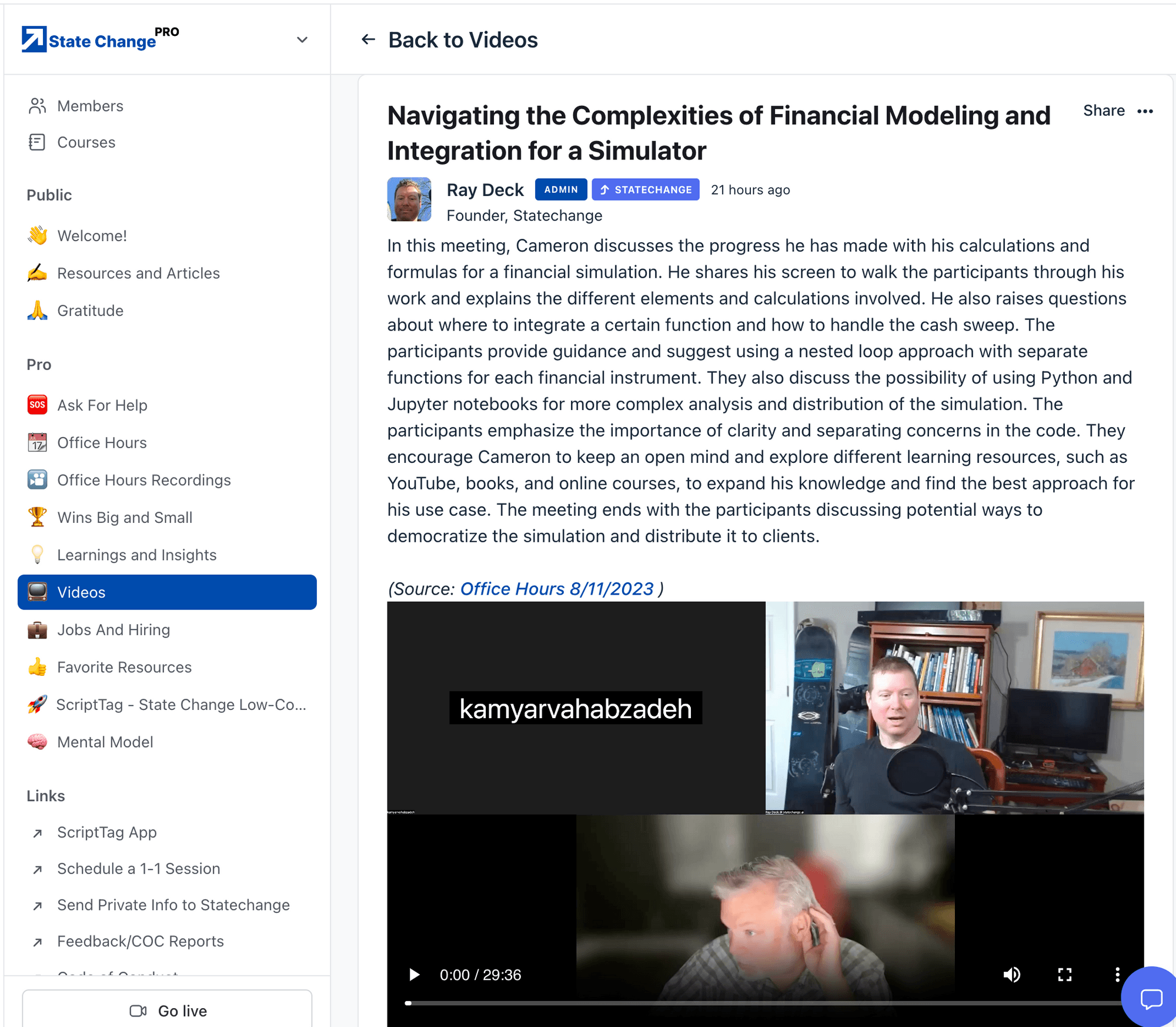
The meeting was focused on addressing an issue related to running an Open AI task. The participants discussed the problem of receiving similar questions as outputs despite providing different inputs. One participant suggested storing the generated prompt along with the outputs for better diagnosis. They also mentioned adjusting the temperature setting in the Open AI language model to increase variability in responses. The importance of prompt engineering and reducing structure in prompts to achieve more variations was highlighted. The meeting concluded with the recommendation to analyze the inputs and outputs of the API request and make necessary adjustments to obtain diverse answers.
(Source: Office Hours 1/31 )
During this meeting, the main problem discussed was related to saving a list of ingredients into a table. The team discovered that they needed to query the table and update the existing record to include new ingredients, rather than adding them as a separate item. The importance of using the "get" function to retrieve previous data was emphasized. Another issue mentioned was regarding the counting of items in an array. The team realized that numeric keys in PHP can cause problems and recommended using strings or adding an underscore before the number. Overall, the meeting provided helpful insights on database queries and understanding the underlying workings of the system.
(Source: Office Hours 6/5 )
In this meeting, the State Changers discussed issues related to sending date information in a web application. They looked at the code and settings for a date picker element and identified that the initial value was being set as a string instead of a timestamp. They made adjustments to the code to generate a timestamp value and tested it to ensure that it was correct. They also discussed the importance of considering time zones when working with timestamps. Overall, the meeting provided helpful insights into resolving date-related issues in the web application.
(Source: Office Hours 2/10 )
In this meeting, John discusses his concerns about his API endpoints being public versus private. He shares that currently all his endpoints are public but understands the need for authentication and privacy. He contemplates the workload and challenges of making all endpoints private and potentially rebuilding his application to accommodate this change. The group provides their feedback and insights. John considers transitioning to Flutter Flow and wonders if he should start over with a new Xano back end that has private endpoints. The State Changers address the benefits of private endpoints, including privacy, context, and security. They suggest that while it may not be necessary to change all endpoints immediately, it is a best practice for future versions and customer usage. They encourage John to focus on prototyping and learning from customer feedback to guide his decision-making. The meeting concludes with the suggestion to watch a mental model series on conceptualizing these issues. John finds the discussion helpful and gains clarity on his next steps.
(Source: Office Hours 6/22/2023 )
In this meeting, the State Changer, Evan, asks a question about best practices for making an API call in Xano. He wants to know if using a precondition is the correct pattern or if there is anything else he needs to consider. They discuss the impact of using a precondition, particularly in the context of firing the API call from ClickUp. They mention that using a precondition will send back an error code to ClickUp if there are any errors, which may affect the communication between ClickUp and the webhook. They also mention the possibility of ClickUp not responding if it receives an error message. They suggest Evan find out if ClickUp can handle receiving an error message or if he needs to use an if-then statement instead of a precondition.
They also discuss Evan's use of emojis to visually organize his code and the inclusion of a group function in Xano. They agree that using a group function to organize rows in Xano is a good idea. Finally, they mention that there will be office hours the next day and express their appreciation for the assistance provided during the meeting.
(Source: Office Hours 8/10/2023 )
In this meeting, the main topics discussed were related to coding and security.
George talked about creating an accumulator variable and returning a list of aggregate CPD hours and team users. The group discussed different ways to achieve this, including using an object and sorting the team users. The second topic was about the email system. George mentioned using a vendor called Postmark and explained the process of sending client emails and tracking their delivery and events through webhooks. They discussed security measures and suggested adding custom headers and API keys to secure the webhooks. They also talked about scalability concerns, with George mentioning that most scalability issues can be solved by increasing server resources. Additionally, George mentioned the possibility of implementing a backup system in case webhooks fail. The meeting ended with a discussion about security and George expressing his concerns about ensuring the application's security. The group reassured him that he was already implementing best practices and encouraged him to continue focusing on security in his regulated industry. Overall, this meeting covered topics related to coding, email systems, security, and scalability.
(Source: Office Hours 1/25 )
In this meeting, the participants, State Changers Ray and George, discuss two issues. The first issue is related to a problem with Xano where the password matching for password reset is not working as expected. Ray suggests checking the hashing of the passwords and they debug the code to find the issue. They discover that there is a random number being added during hashing, which prevents the passwords from matching. Ray explains that this is a security measure to prevent brute force attacks and suggests changing the comparison to compare the clear text passwords instead of the hashes.
The second issue discussed is about integrating Typeform into a web page using Webflow. George explains that he wants to pass a token from one page to another using a hidden field in Typeform. Ray suggests using a custom attribute, "data-wl", in Webflow to pass the token and using that attribute in the Typeform embed to set the hidden field value. They test the implementation and find that the attribute is not being read correctly due to the way it is added in Webflow. Ray suggests modifying the JavaScript code for the Typeform embed to ensure the attribute is read correctly. Towards the end of the meeting, they discuss a delay in the script execution and how to solve it by incorporating a loading spinner until all operations are completed. Ray suggests further research and proposes using multiple lines of code instead of the one-liner approach currently used for the embed. The meeting concludes with Ray agreeing to investigate further and provide a solution by the end of the week.
(Source: Office Hours 12/7 )
In this meeting, the State Changers discussed an issue with saving location data in session storage. They noticed that the location data was not being saved when the user clicked the login button and transitioned to a new page. They realized that this was due to the race condition between the geolocation code and the page navigation code. The State Changers discussed the difference between Webflow and single page applications, explaining that Webflow navigates to new pages while single page applications keep the same JavaScript runtime. They concluded that in order to solve the issue, they need to sequence the geolocation code before the navigation code. They discussed the option of disabling the login button until the geolocation code finishes, or having the geolocation code initiate the authentication process. They agreed on implementing the latter solution by rewriting the code accordingly.
(Source: Office Hours 2/27 )
During the meeting, Bailey raises a question about how to copy the database from live to test in Xano, as they want to work with the new API versions in the test environment. The State Changers suggest two possible approaches:
1. Using a function call and API requests to read data from the production database and update the test database. 2. Exporting the database structure as a CSV file, importing it into the test environment, and then making API calls to move the data. They also discuss the importance of setting the correct version and data source headers when making API calls. Bailey decides to go with the more automated function approach.
(Source: Office Hours 12/9 )
In this meeting, the State Changers discussed a form in their app and considered whether to have multiple pages or a single scrollable page. They debated the user experience (UX) implications and the back-end auto-updating feature. They agreed that having multiple pages might make the form less daunting and provide users with a sense of progress. However, they acknowledged that a single page could be more convenient and less likely to result in drop-offs. User testing and A/B testing were mentioned as methods to determine the best approach. Furthermore, they discussed the nature of the form and how it related to workplace issues, such as theft and time card discrepancies. Ultimately, they decided to create a single version of the form and conduct A/B testing to assess its effectiveness. The meeting concluded with a mention of future office hours and an upcoming discussion on Journey AI.
(Source: Office Hours 2/3 )
In this meeting, Ken is seeking help from Ray with a financial project. Ken wants to create a button that can add values to an array and show the total sum of those values. Ray suggests using a list of objects and creating inputs for labels and amounts. They discuss structuring the data and implementing it on the front end. Ray explains that the complexity usually lies in the front end implementation. Ken also asks about keeping the inputs on the front end without writing to the database until the user hits save. Ray suggests using functions and API calls for this purpose and explains that the calculations can be done on the Xano side. They discuss how to handle the calculations and show them in real-time, and Ray explains the concept of caching for storing data over time. Overall, Ray provides helpful guidance and suggestions for Ken's project.
(Source: Office Hours 12/6 )
In this meeting, Dave brings up an issue he discovered with a function that is not producing any output and the console logs are not being triggered. He suspects that there may be a JavaScript error. They check the console logs and find an error stating that "search is undefined." They discuss that the issue may be related to the "search" variable not being passed correctly. Dave mentions fixing a previous error related to the variable, but they realize that there may be an issue with the code on line 153. They decide to investigate further to see if it is relevant.
Dave also mentions a button that should clear the text in the search box when clicked. However, Bailey points out that the code for the button's functionality seems to be incorrect. They use the inspector tool to examine the button's code and find that there is a missing dash in the class name, which may be causing the problem. Dave mentions that he can work on fixing the issue with the button's code and mentions that Webflow may be removing the dashes in the class names. Towards the end of the meeting, they briefly discuss progress on the resource-related task and it seems that Bailey has figured it out with Dave's help. The meeting ends with closing Dave's task.
(Source: Office Hours 2/16 )
In this meeting, the State Changer is seeking guidance on how to scrape a website using Xano. They want to run a background task to scrape data from a specific website every 30 minutes. The State Changer is unsure about how to do the scraping and what vendors to use.
The meeting participant, Ray, recommends using a third-party scraping service since it requires running a browser and interacting with the website like a user. He suggests three potential vendors: Scraping B, Axio, and Browser Bear. These tools automate the browser and provide instructions for scraping websites. They also have Chrome extensions to simplify the process. Ray mentions that Scraping B has been used successfully by other members of the State Change community, but Axio also offers AI technology that can handle semi-structured data. Browser Bear is another option, although Ray hasn't personally used it. Ray emphasizes that although these tools involve coding, it's essential to embrace complexity and leverage new technologies to make the process more efficient. He encourages the State Changer to experiment with different tools to find one that suits their needs best, considering factors like competitive advantage and speed. Overall, the meeting provides insight into the different scraping tools available and encourages the State Changer to explore and evaluate these options for their scraping project.
(Source: Office Hours 7/26/23 )
In this meeting, the State Changers discuss the issue of concatenation and JSON encoding. They try to figure out why the generated signature does not match the expected value. They decide to set up a new webhook in Stripe and copy the URL to webhook dot site. They trigger a checkout event and examine the response. They realize that the JSON encoding is not preserving the original format and this is causing the validation failure. They discuss modifying the table to store the original string without additional formatting. They conclude that the issue lies in the translation of the string and not in the coding. They plan to join the next office hours to address this issue.
(Source: Office Hours 12/1 )
In this meeting, the State Changer is seeking help with structuring their data in order to create a function to download and store sports event data into their database. They have a complex data structure consisting of an array of player objects, each with an array of market objects, each with an array of book objects, each with an array of outcome objects.
The State Changer is looking for assistance in traversing this tree-like structure to extract the necessary data and create the appropriate database records. The summarizer recommends breaking down the problem into smaller steps and using nested for-each loops to iterate over the data at each level. They also suggest considering the desired output and designing the database accordingly, potentially using a unique identifier comprised of concatenated IDs for efficient querying. Overall, the meeting provides insights into how to approach and resolve complex data structure problems using a step-by-step and iterative approach.
(Source: Office Hours 8/12 )
In this meeting, the participants discuss setting up mobile analytics infrastructure, specifically focusing on choosing the right analytics platform. The team talks about their previous experience with tools like Amplitude, Segment, and Mixpanel, and express the need for a platform that auto-tracks events. They also mention the challenges they faced in integrating front-end and back-end data.
They discuss the possibility of using Flutter Bridge to integrate Heap Analytics with Flutterflow, but acknowledge that this is new territory and may come with challenges, especially when dealing with native app components. They talk about the importance of testing and building step by step to ensure compatibility and functionality. They also mention reaching out to Flutterflow regarding pain points and suggesting the inclusion of instrumentation in their roadmap. The team acknowledges that Flutterflow has its strengths in providing a no-code environment, but they believe that creating a space for developers to work with Dart and integrate tools like Heap Analytics would be beneficial. The meeting concludes with the understanding that this is a complex problem that requires collective effort and everyone will benefit from finding a solution.
(Source: Office Hours 5/25 )
In this meeting, the State Changers discussed the end goal of creating an object editing feature similar to what was done in Weweb. They want to avoid flickering when making changes by saving things to local storage instead of making API calls. Storing things in session storage is important for remembering data as it goes from page to page. The flickering issue is not caused by the API calls, but by the way the drawings are set up on the Wized side. The state management problem is caused by the data being cleared and set back to zero during the push and pull process. The participants believe this problem can be solved on the Wized front-end side. The State Changers also discussed using local storage for storing information across pages, such as the current state of the shopping cart. They concluded that not many variables need to be created in local storage, except for identifiers like the auth token. They also discussed the login process and suggested making changes to the navigation after a successful login. They recommended checking for the existence of a cookie and redirecting to the desired page if the token is present. They acknowledged that there might be a timing issue to address but were optimistic about the progress made. The meeting concluded with a request to review an email in the next office hours to clarify how to use Bootstrap in Webflow for a CSS change on an embed.
(Source: Office Hours 2/28 )
During the meeting, the State Changers discuss a technical issue related to displaying a specific format of text. They want to show "$4" instead of "four dollars" when typing. They suggest using a lineup trick where they position a separate div tag over the text box to create overlap. Negative margins can be used to achieve this effect. The participants also mention using a higher z-index to ensure the overlapped div is in front. They suggest adjusting the left padding of the text box to make the dollar sign look more natural within the box. They anticipate more similar questions in the future and appreciate the assistance provided.
(Source: Office Hours 1/20 )
In this meeting, the State Changers discussed a problem with the geolocation functionality in their application. They had a code that showed the geolocation twice instead of once. They wanted to know how to utilize the geolocation data in their API calls and how to manipulate it in JavaScript.
They decided to store the geolocation data in the window.myPosition variable and include it in their API call payloads to the backend. They also concluded that it would be better to handle data manipulation on the backend with Xano rather than the front end. Overall, the meeting focused on resolving the geolocation issue and finding the best approach to handle and manipulate the geolocation data in the application.
(Source: Office Hours 2/13 )
In this meeting, the participant is seeking guidance on setting up a custom Xano API to add records to their databases. They have two databases: one for users and one for cornerstones. The cornerstones database has an array field called "working ons" that is supposed to contain all the working on tasks associated with each cornerstone.
The consultant suggests modifying the data structure to have the working on tasks point to the cornerstones instead of having the cornerstones hold a list of working on tasks. This would simplify the database structure and make it easier to work with in the future. They discuss how to create two separate API endpoints for creating cornerstones and working on tasks. They also talk about authentication and making sure users can only create cornerstones for themselves. Next, they discuss how to retrieve all the working on tasks associated with a specific cornerstone. The consultant guides the participant on creating a custom query using Xano's database requests and setting up the necessary conditions based on the cornerstone and user IDs. Overall, the meeting provides helpful insights on database structure, API creation, and data retrieval using Xano.
(Source: Office Hours 4/7 )
During the meeting, the State Changers discussed various technical questions related to SendGrid, JSON creation, and database updates. Camir had a question about creating JSON from records and received guidance from the group on using the set and push functions. Bailey sought assistance with updating an array in the database and was advised to retrieve the array from the database, modify it using push, and then update the entire array in the database. Lastly, Scott sought help with a data analysis task involving grouping records and finding the most common reason for a trade. The State Changers used Xano's aggregate feature to achieve this and resolved an issue with empty records.
(Source: Office Hours 12/8 )
During the meeting, the State Changers discuss their current locations and the flexibility of working remotely. They then move on to discuss a task involving the lambda function for paddle verification. One participant shares that they have visually inspected the code and made some modifications, but are encountering an error message stating "input is not defined". The error is traced back to a small typo in the code, which is quickly fixed. They proceed to test the functionality and it is successful. Another participant suggests creating a variable to hold the response from paddle for future testing purposes. This is demonstrated and works as intended. They then discuss the potential security concerns of sharing the public key and reassure each other that it can be easily revoked if necessary. Finally, they explain the need for the specific serialization method used in the code due to PHP's way of handling JSON.
(Source: Office Hours 6/27/23 )
In this meeting, the main topic of discussion was creating notifications for comments and quotes on posts. The participants discussed the best way to implement this feature, including using the user events table and adding an event type column. They also talked about using a boolean column for notifications and adding a column for clearing notifications. The meeting also covered the idea of bumping posts based on new comments and the suggestion to use a last modified column. The participants agreed to continue working on these features and update each other as they progressed. The meeting also touched on the use of React in development and the importance of feedback and iteration in finding the right solution.
(Source: Office Hours 4/4 )
Summary:
In this meeting, the State Changers discuss an issue with displaying HTML properly in code. They propose replacing instances of " HTML" with "_a tag" and fixing other character issues like ampersands and quotation marks. They mention that encoding HTML special characters will cause them to show up as text. The State Changers acknowledge that this is a common mistake and express relief that the issue is easy to fix.
(Source: Office Hours 11/18 )
During the meeting, the State Changers discussed the process of implementing push notifications in their app using Xano and Firebase. They identified the need to collect device IDs from Flutter Flow and transmit them to Xano. They also discussed how Xano can push notifications to Firebase Cloud Messaging (FCM) and how FCM delivers the notifications to the devices. The State Changers agreed to start with understanding how to get the device ID from Flutter Flow and then proceed with integrating Xano and FCM. They also discussed the idea of using a function in Xano to trigger the push notifications. Overall, they made progress in breaking down the problem and identified the key steps needed to implement push notifications in their app.
(Source: Office Hours 9/22 )
In this meeting, the team discusses a strategy for sorting teams by rank based on their win percentage. They discuss the challenges of using a win-loss ratio and decide to use win percentage instead. The employee presents their strategy of setting a variable for the first team and comparing it to the rest of the teams. The team agrees and suggests using a reducer pattern. They go through the process of creating variables, setting conditions, and manipulating data to group teams with the same score together. They also discuss some technical issues and make adjustments to their code. The meeting ends with a recap of the progress made and plans for further discussions.
(Source: Office Hours 5/10 )
In this meeting, the State Changer is discussing how to pull in data from other tables in a database. They are confused about how to connect the user ID table with the Z test table and access additional columns from the user table. The State Changer explains that this is a result of the normalization of the database, where each table holds its own information and references other tables through foreign keys. They mention that while this approach minimizes repeat data, it can also increase complexity and require more locking when writing to the database. The State Changer suggests using add-ons or queries to connect and retrieve the desired information from the tables. They also mention the use of functions for testing purposes and discuss the importance of security when exposing API endpoints. The State Changer emphasizes that the tables contain static information and that the dynamic data can be accessed through queries or APIs. They point out that referential integrity is taken care of behind the scenes and the main concern is performance. The State Changer advises not to focus too much on the historical reasons for relational databases and to prioritize conceptual clarity and progress. They also encourage embracing messiness and technical debt as long as it doesn't impede progress. The State Changer mentions bringing David into the conversation, indicating a potential transition or expansion of the meeting discussion.
(Source: Office Hours 7/26 )
In this meeting, the State Changers are discussing the process of building a function to pull statistics from an API feed for baseball players. They discuss how to filter for baseball statistics, create a variable to map the API feed, and start building the function. They also discuss iterating over player statistics for one game, gathering data dynamically, and updating variables. The State Changers encounter some challenges in getting the data, but they receive guidance on how to troubleshoot and improve the function. They also discuss the need to create a formula to dynamically input and update data throughout the game. While some specific technical details are mentioned, the overall takeaway is that the State Changers have a better understanding of how to approach the task at hand.
(Source: Office Hours 9/8 )
During the meeting, State Changer With shared their screen and addressed an error related to a missing bar entry in a task background. With identified that the error occurred because there was no response in the function that was supposed to provide one. This led to the edit player variable not being initialized and caused the response to be ignored. With recommended setting the response to null in a void function to prevent such issues. The meeting participants agreed to focus on this issue and explore other topics later.
(Source: Office Hours 11/14 )
In this meeting, the State Changers discussed integrating Cloudflare and WeWeb. Ray mentioned that he successfully rendered and validated the service side. However, he needed help with integrating the script in the custom code head of WeWeb. They discussed using the WeWeb Embed tool and copying the code from Cloudflare. They also mentioned the trade-offs between using a script tag in custom code and using the WeWeb action. They discovered an error related to asynchronous loading and decided to put a delay on the turnstile ready function. They tested different delay times and explored the use of a defer attribute in the script tag. They also made updates to the script to use a callback function instead of the ready function. Finally, they encountered an issue with an invalid domain, which they acknowledged would need to be fixed.
(Source: Office Hours 6/12 AM )
In this meeting, the team discusses error handling and how to handle error messages that come from Xano and webflow. They talk about the need to handle errors gracefully and provide feedback to the user. The team also discusses hiding and showing menu elements in webflow based on a user's logged-in status. They suggest using IDs and classes to target specific elements and use jQuery to hide or show them. They also mention the importance of ordering time units correctly when displaying relative timestamps. Finally, there are some questions about determining the multiplier for minutes and weeks in a time calculation function.
(Source: Office Hours 3/28 AM )
In this meeting, the State Changers discussed various topics related to app development. Some key points include:
1. Opening pages: One of the State Changers was having trouble opening a single page and found a workaround by using a list page instead. 2. Sharing functionality: One State Changer was interested in learning how to implement sharing actions in their app, specifically how to share a page. They discussed custom schemes and domain links as possible solutions. 3. User profile pictures: The State Changers discussed retrieving the user's profile picture from a database and displaying it in the app. They mentioned using an API endpoint to retrieve the picture URL and binding it to the appropriate component. 4. Xano and Auth0 integration: The State Changers encountered issues with the integration between Xano and Auth0, especially in syncing user information. They discussed the need for further exploration and recommended reviewing documentation and videos on the topic. 5. Database structure: The State Changers reviewed the database schema and discussed how user information is stored in JSON format within a table. They clarified that it is not a separate table but a nested field within the main table. Overall, the meeting covered troubleshooting, sharing functionality, user profile pictures, and the Xano-Auth0 integration. The State Changer requested further assistance with the integration and was advised to allocate dedicated time for reviewing documentation and seeking help during office hours.
(Source: Office Hours 9/16 )
During the meeting, the State Changers discussed an issue with the interaction between Wized and Webflow. Evan explained that he was trying to hide certain elements until they started loading, but was having trouble achieving the desired effect. He tried adding a class with the property of display none, but it wasn't working as expected. The participants suggested different approaches, including adding and removing classes, refreshing attributes, and even rebooting. Eventually, they discovered that an extra style was causing the issue, and by removing it, they were able to achieve the desired result. They also discussed the importance of turning things off and on again to troubleshoot problems. Overall, they made progress in resolving the issue and provided helpful insights for others facing similar challenges.
(Source: Office Hours 2/22 )
In this meeting, the State Changers discuss website performance and how to improve it. David shares his concerns about the loading time of his website and asks for advice on optimizing it. Ray suggests using the "waterfall" view to identify performance bottlenecks and recommends the Lighthouse tool provided by Google for performance analysis. They discuss deferring script tags and introducing caching to improve performance. The State Changers also discuss techniques like interstitials and skeleton states to reduce perceived delays and build user trust. David asks about the character limit for JavaScript files and whether he should use an external GitHub repository. Ray advises him to try embedding the JavaScript in the header first and switch to an external repository if necessary. They also mention lazy loading images and clarify that the CDN handles the caching, and the browser requests the image when it's needed. They conclude the meeting by discussing follow-up actions and scheduling future sessions.
(Source: Office Hours 2/1 )
In this meeting, the participants discuss an issue raised on the Xano community forum and the possibility of using an authenticated API and building a second screen in the app. They also mention that James had built a second API solution. There is a discussion about clearing records in Xano for the output and evaluating data to come up with average operating expenses and other calculations. The participants also discuss null values in the data and how to handle them. They explore the logic behind the presence of aircraft registration and find that while the model exists, the actual aircraft does not. They consider cleaning up the data outside of the SQL query. The meeting concludes with the suggestion to turn attention to James.
(Source: Office Hours 11/21 )
In this meeting, the participants discuss how to calculate the total possible value for each measure in a test. They discuss different options, including storing the value in the questions table or the answers table. They also talk about the need for maximum scores for each question and how to determine the maximum possible value for each measure. They decide to loop through the questions table to calculate the maximum scores and add them to the output. They also discuss the importance of prioritizing immediate problem-solving over scalability when developing solutions. Additionally, the participants mention the one-two rule, which suggests giving an idea a limited amount of time before deciding to continue with it or try something else. They also discuss the need to create a new field in the database schema to store the maximum value for the measures. Finally, they mention the possibility of calculating a ratio and adding it to the output as well. Overall, the meeting focuses on finding a solution to calculate the total possible value for each measure in the test.
(Source: Office Hours 3/14 )
In this meeting, the State Changers discussed the issue of generating a single auth token when users log in through Google. They mentioned that Google generates a separate auth token than when a user logs in with the application. The participants discussed the process of using identification tokens (ID tokens) and access tokens. The ID token is received when logging in using Google and contains information about the user and is cryptographically signed by Google. The participants explained that this ID token can be sent to another platform (Xano) to confirm the user's identity and obtain an access token. The access token is used to authenticate the user and provides access to resources. By using this process, the participants stated that they could have a single token for authentication purposes. The discussion then focused on the specific issue faced by the person presenting, who was unable to find the auth token for demo users created through Google. They examined the workflow for authenticating users from Google and noticed that a code was being generated, which they believed could be the auth token they were looking for. They recommended further investigation and suggested using video/screen sharing tools like Loom to provide clear visuals of the issue and seek assistance. The meeting concluded with a discussion on how to efficiently communicate and troubleshoot future issues.
(Source: Office Hours 3/16 )
In this meeting, the State Changers discuss a system where users can log their training sessions and track their progress. They mention the need to create a summary page showing the total hours of structured and unstructured training, as well as the remaining hours needed to meet the training requirements.
They discuss using Xano, a back-end tool, and explore its functionality for querying and aggregating data. They explain how to use the aggregate feature to group data by certain criteria and perform calculations such as counting, summing, and finding distinct values. They also touch on how to sort the data and use the output in a response object. They experiment with different queries and outputs to test their understanding. Throughout the meeting, the State Changers express their enthusiasm and satisfaction with the capabilities of Xano. They acknowledge that their understanding of the tool is growing and mention the need for better tutorials to fully grasp its potential. They also discuss the challenge of explaining the conceptual aspects of back-end development to clients. Overall, the meeting provides valuable insights into using Xano for data management and highlights the importance of thinking in multiple dimensions when working with back-end systems.
(Source: Office Hours 12/21 )
Join State Change Plus today to get access to these videos - and hundreds more!